Run n8n and Supabase on One VPS with Coolify
Let’s be real, modern coding can feel like a constant jump between different tools. You’ve got n8n doing its automation thing, Supabase handling your database stuff, and your frontend chilling on another platform. Even if you’re using free options, it can get annoying fast. Databases go to sleep, workflows stop working, and your stuff is all over the place with you not really in control.
I eventually wanted to actually own my stuff again. I wanted my services running on my server (or at least, one I control), all managed from one spot, without needing a PhD in DevOps. That’s how I stumbled upon Coolify: a cool open-source platform that turns a regular server into your own personal control center for everything.
In this guide, I’ll show you how I put together a pretty powerful AI setup on a single server using Coolify. We’re talking n8n for automation and Supabase for data (including the cool vector storage).
While Coolify helps you control your services, exploring platforms like Dokploy Review 2026: Features, Installation & Docker Deployment Guide can offer even more ways to manage your Docker deployments.
Table of Contents
What is Coolify and Why Use It
If you’ve ever tried setting up a basic server from scratch, you know the drill. Docker setups, reverse proxies, SSL certificates, environment variables, CI/CD pipelines… It all takes time and effort. Coolify takes care of all that stuff and acts like your silent DevOps helper.
Here’s what that means in simple terms:
You own your data and code.
Your workflows, repositories, and databases live on your server. You don’t have to worry about surprise price changes or random policy changes.
It just keeps going.
A self-hosted n8n doesn’t just go to sleep. Webhooks stay active, background tasks keep running. Your automations work all the time.
Easy to use.
Connect a GitHub repository or pick a service from the list. Hit Deploy. Coolify builds the Docker image, sets up the proxy, gets SSL certificates, and starts the app. Done in minutes.
Saves you money.
Once your projects get bigger, a single good server can often be cheaper than a bunch of cloud subscriptions.
Why Rent a Server? (My Setup: n8n + Supabase)
Getting a server just for a simple Telegram bot might be too much. But when you start doing more complicated things like AI pipelines or storing user data, self-hosting starts to make a lot of sense.
My setup has two main parts:
n8n – the brain.
It handles the logic, talks to AI models, uses external APIs, and responds to webhooks. Running this on your own server is a must for reliability.
Supabase – the memory.
It stores user data, logs, and vector info. Since it’s not on a free tier, you don’t have to worry about it going to sleep. You get constant access and control.
The self-hosted version of Supabase comes with pgvector already installed. This is important: your regular data and vector data are in the same place. For most things, you won’t need a separate vector database like Qdrant or Pinecone.
Server Requirements for n8n and Supabase
To keep things running smoothly with Coolify, n8n, and Supabase all going at once, I suggest starting with:
- CPU: 2 cores
- RAM: 4 GB
- Storage: 30 GB NVMe SSD
This should be good enough for most normal use cases.
How to Install Coolify on VPS
It’s actually pretty easy. Just start with a fresh Ubuntu 22.04 LTS server and root access.
1. Connect with SSH and run this:
curl -fsSL https://cdn.coollabs.io/coolify/install.sh | bashThis script installs Docker, sets up the folders, and gets Coolify running.
2. First time logging in and Set up Your Domain
Go to:
http://YOUR_SERVER_IP:8000Create your admin account. In the settings, put in your domain (like, coolify.yourdomain.com). Coolify will automatically get an SSL certificate for you.
3. Set Up Notifications
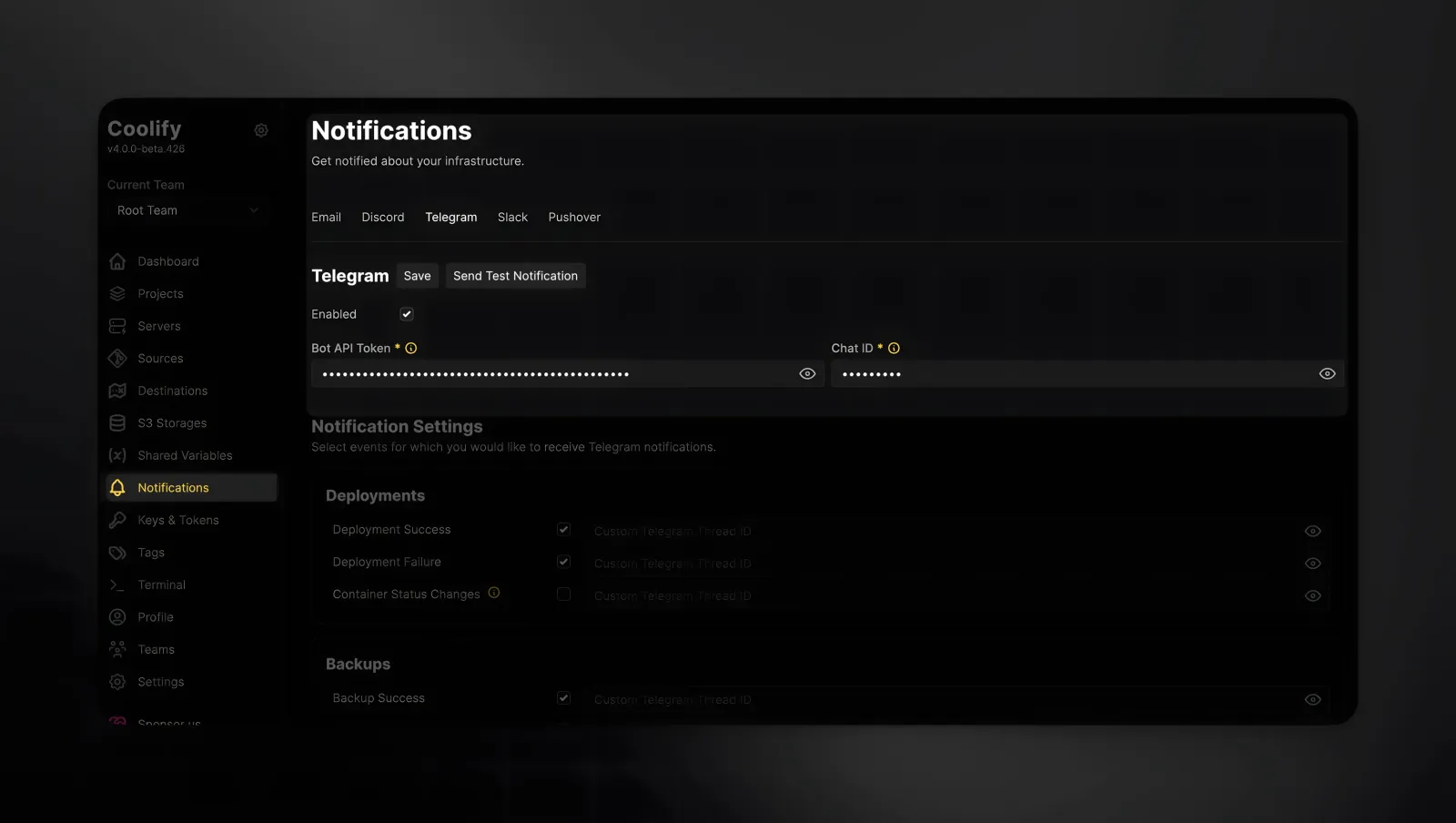
Go to Notifications → Telegram and connect your bot. You’ll get updates on deployments, service problems, and other important stuff right in your Telegram chat. No more guessing what’s going on.
How to Deploy n8n with Coolify
Install n8n
With Coolify:
- Create a new project.
- Select Add Resource and pick the template n8n with PostgreSQL. This makes sure n8n saves your workflows in PostgreSQL instead of SQLite, which can be a bit unreliable.
- Under Configuration → General, give it a domain like
n8n.yourdomain.com.
Pick the right version.
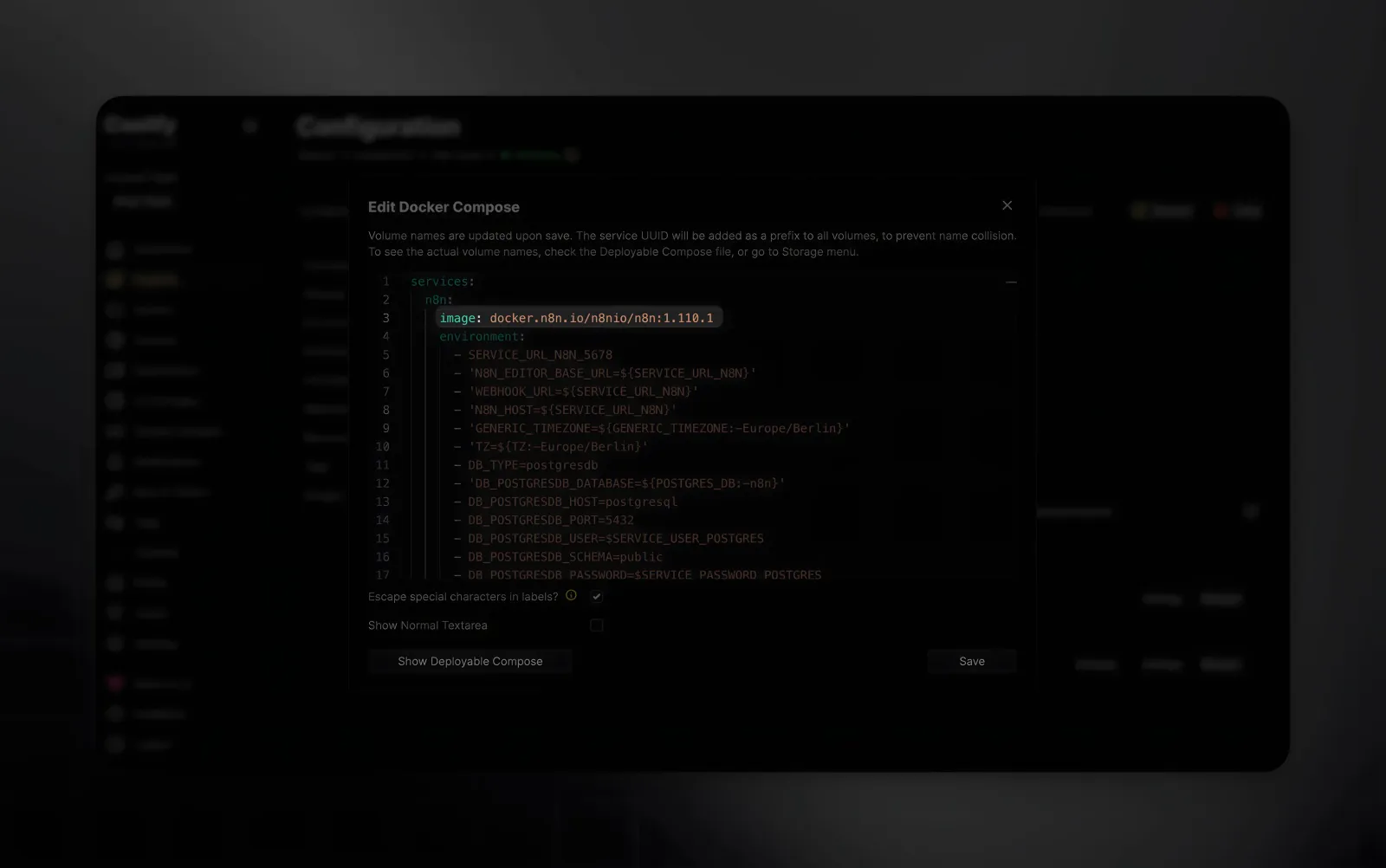
The default Docker tag is latest, which isn’t great for production. Change n8nio/n8n:latest to a specific version, like:
n8nio/n8n:1.110.1Hit Deploy. Your own n8n instance should be up and running in minutes. Finish the admin setup inside n8n itself.
One thing to keep in mind: n8n is great for quick projects and internal automations. But for really important production systems, it can be a bit tricky. It’s awesome for prototyping, but maybe not always the best for a solid production setup.
How to Install Supabase on VPS
Setting up Supabase is even easier:
- In the same project, click Add Resource.
- Select Supabase from the list.
Coolify will get all the containers running and connect them for you.
Give the Supabase dashboard a domain and hit Deploy.
After it’s done:
- Grab the
SERVICE_SUPABASESERVICE_KEYfrom the environment variables in Coolify. - Take note of the Admin User and Password for logging into the dashboard.
Now you’ve got your own Supabase instance with pgvector ready to go.
Connect Supabase to n8n
(Example)
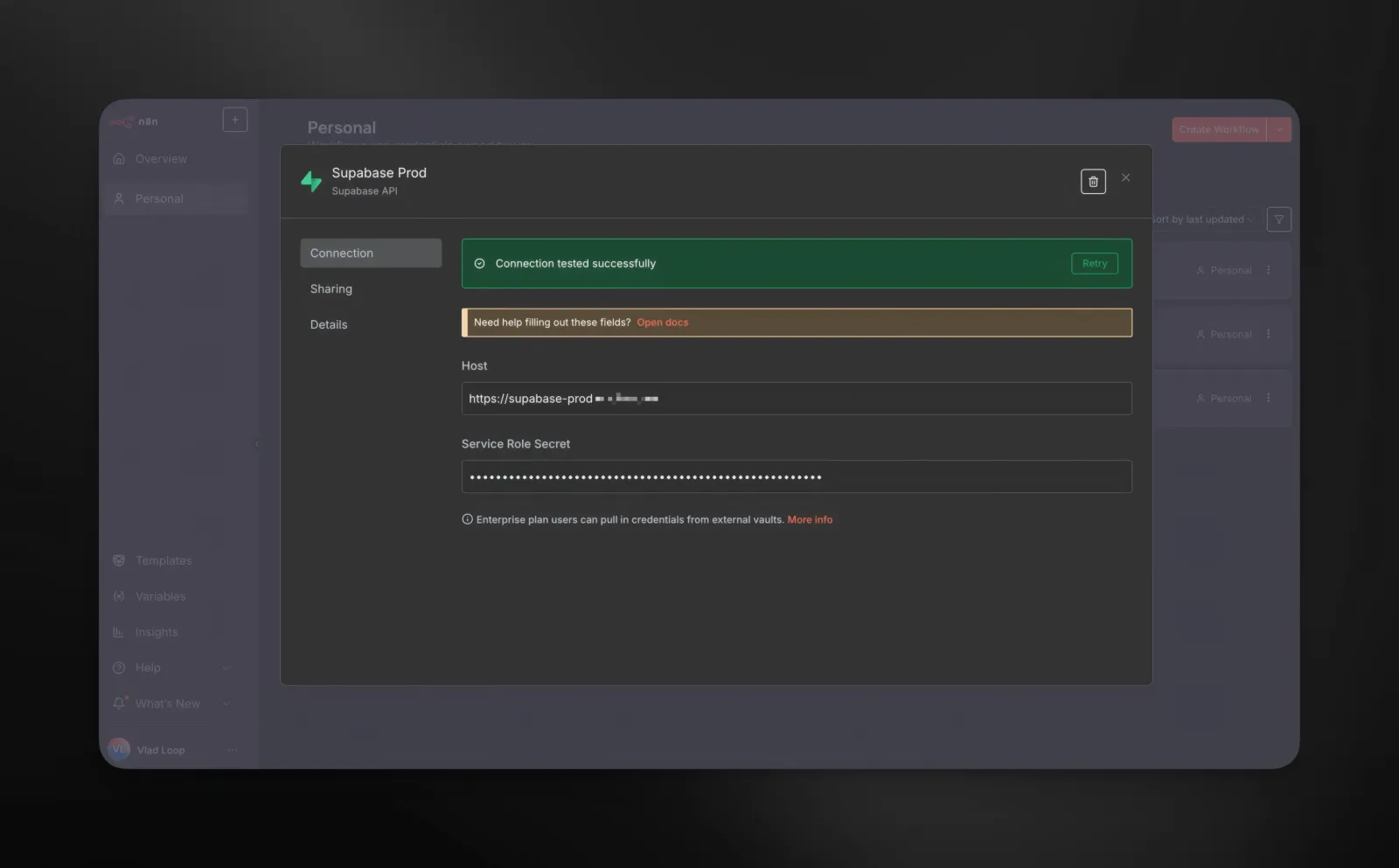
In n8n:
- Go to Credentials.
- Click Create.
- Find and select Supabase.
- Enter:
- Host
- Service Role Secret (from Coolify)
Credentials in n8n are like secure vaults. Your API keys and secrets are safe and can be used in different workflows.
You’re in Control Now
For me, Coolify has been a game changer. It lets you own your infrastructure without needing to be a DevOps expert.
In just one evening, on a reasonably priced server, you can have:
- Your own PaaS (Coolify)
- An automation engine that runs 24/7 (n8n)
- A PostgreSQL database with vector search (Supabase)
What used to take a bunch of different cloud services and complicated setups is now all in one place. It’s a great way to experiment, build side projects, and even create AI-powered apps.
Have you tried self-hosting? What tools do you use to manage your servers? I’d love to hear your thoughts and experiences
SPONSORED
If you’re thinking about running n8n and Supabase on a single server, like in this guide, then I suggest grabbing a dependable VPS with NVMe storage and good uptime.
For this kind of setup, Senko Digital VPS works really well, in my opinion. It’s quick to get going, gives you full access, and has reliable European infrastructure that keeps your automations running all the time without any sleep mode problems.
FAQ: n8n and Supabase VPS Setup
1. Do I really need a VPS to run n8n and Supabase?
If you want full control, 24/7 uptime, and no “sleep mode” limitations, yes. A VPS gives you stability and independence from free-tier restrictions.
2. What are the minimum server requirements?
For most use cases:
– 2 CPU cores
– 4 GB RAM
– 30 GB NVMe SSD
This is enough to run Coolify, n8n, and Supabase together.
3. Is Coolify difficult to install?
No. On a fresh Ubuntu 22.04 server, it’s essentially a one-command installation. The script installs Docker and configures everything automatically.
4. Do I need DevOps experience to use Coolify?
Not necessarily. Coolify handles Docker, reverse proxy, and SSL certificates for you. Basic server knowledge helps, but you don’t need advanced DevOps skills.
5. Why not just use n8n Cloud or Supabase Cloud?
Cloud services are easier at the beginning. However, self-hosting gives you:
– Full control over your data
– No unexpected pricing changes
– No automatic shutdowns
– Potentially lower long-term costs
6. Why use PostgreSQL with n8n instead of SQLite?
PostgreSQL is more stable for production environments. SQLite works for small or test setups, but PostgreSQL handles scaling and reliability better.
7. Does self-hosted Supabase include pgvector?
Yes. The self-hosted version includes pgvector, so you can store both regular data and vector embeddings in the same database.
8. Do I need a separate vector database like Pinecone or Qdrant?
For most AI projects, no. PostgreSQL with pgvector is sufficient unless you’re building at a very large scale.
9. Is using the latest Docker tag safe for production?
It’s not recommended. Always pin a specific version (for example, n8nio/n8n:1.110.1) to avoid unexpected breaking changes.
10. Is this setup suitable for production systems?
It’s excellent for side projects, internal tools, and AI experiments. For mission-critical systems, you’ll need proper backups, monitoring, and scaling strategies.
11. What happens if the server goes down?
All services stop — n8n, Supabase, and Coolify. Regular backups and monitoring are essential.
12. Can I host additional services on the same VPS?
Yes, as long as your server resources allow it. Monitor CPU and RAM usage as your stack grows.