
Why You Should Reboot Your Phone Before Passport Control (It’s Not Paranoia)
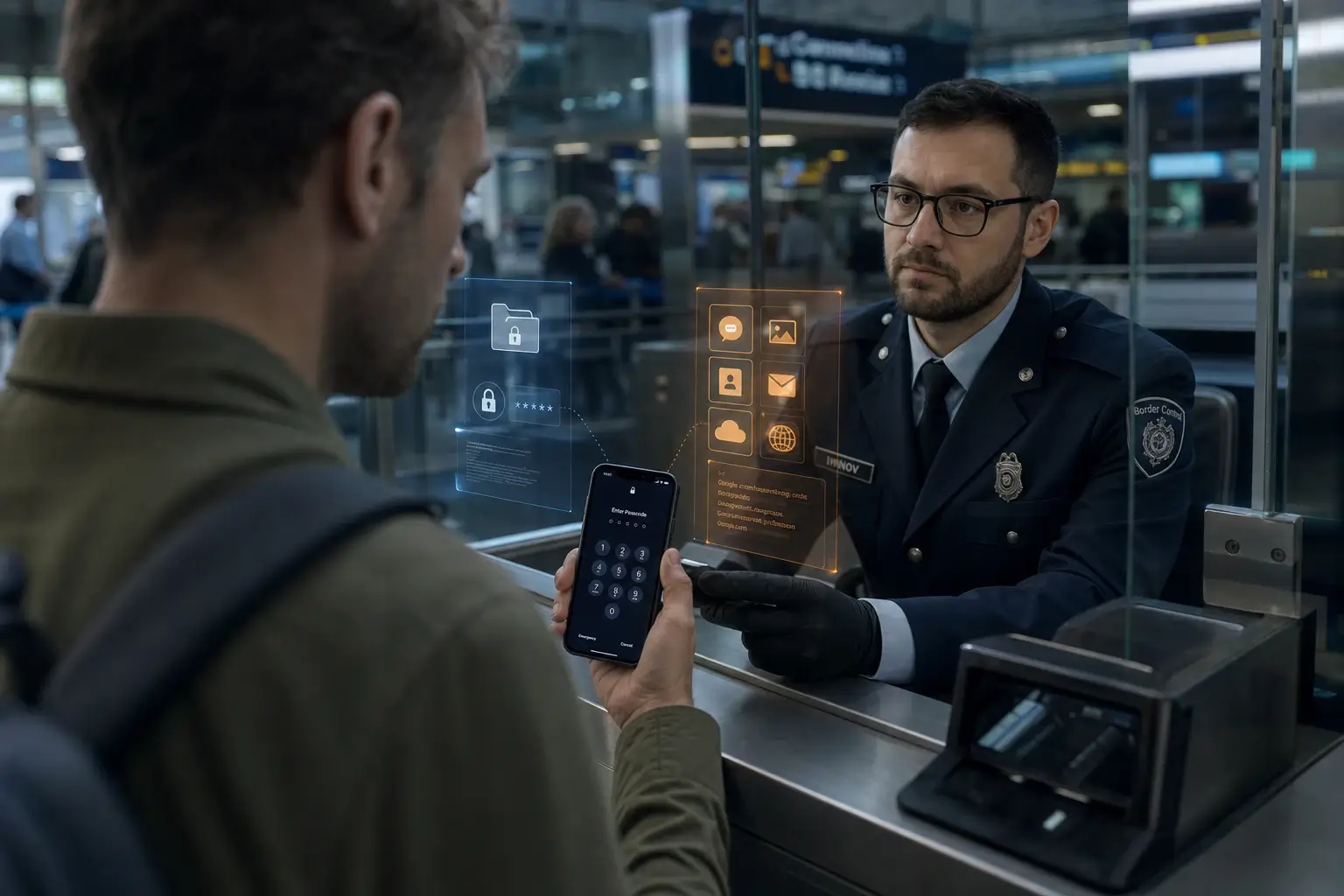
You might think deleting a few apps or clearing your browser history is enough. In 2025, it isn’t. Smartphones have become the primary target at passport control, and border officers don’t need James Bond gadgets. They simply ask you to unlock the device, scroll through messages and photos, and plug it into professional forensics systems that pull everything they can reach in minutes.
The numbers tell the story. During the U.S. Customs financial year 2025 (October 2024–September 2025), officers performed about 55,000 device inspections—17 percent more than the previous year. The second quarter alone saw nearly 15,000 checks. While that’s still a tiny fraction of total travelers, the upward trend is clear.
This article explains exactly how the process works in practice, which tools officers rely on, what they look for, and—most importantly—how to prepare your phone legally and effectively long before you reach the booth.
Table of Contents
Why Simple Deletion Isn’t Enough
Most people carry their entire lives on their phones: three-year-old chats, random notes, browser history, and cached files. Officers know this, which is why a last-minute “clean-up” rarely fools the systems. The real protection comes from separating your daily device from your travel device and keeping the travel phone in its most secure state from the start.
Three Real Scenarios of Border Phone Checks
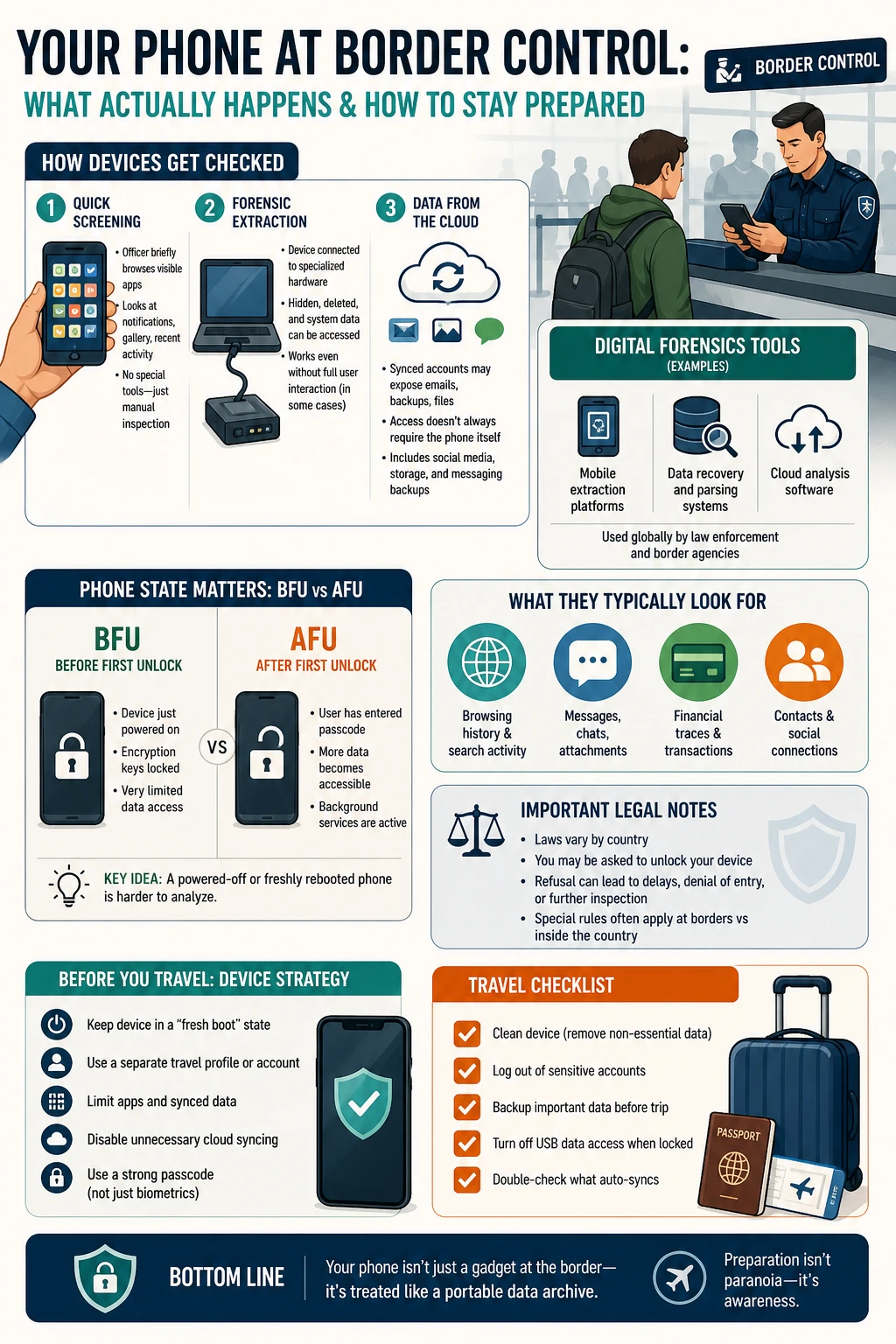
Visual inspection is the most common. Officers ask you to unlock the phone and open messengers, gallery, notes, and browser history. It sounds harmless, but it works because most phones contain years of casual digital clutter.
Deeper technical check happens when they take the device to a workstation. Here the amount of recoverable data depends on whether the phone has been unlocked at all since its last reboot.
Cloud reconnaissance can reveal the biggest surprises. Backed-up photos, synced notes, email, and messenger archives become accessible if your main accounts are logged in without extra protection.
The Digital Forensics Tools Border Agents Actually Use
Agencies rely on industrial-grade solutions such as Cellebrite UFED (including its Physical Analyzer), MSAB XRY, Oxygen Forensic Detective, and Magnet AXIOM. These tools quickly extract and categorize artifacts—messages, attachments, location data, browser history, calendars, and contacts—then map the connections between them.
According to U.S. Department of Homeland Security testing, the current Cellebrite UFED version successfully pulls data from virtually any modern Android or iOS device under the right conditions. Specialized tools like GrayKey focus on iPhones, but the principle stays the same: encryption is strong only while the phone remains in its locked, post-reboot state.
BFU vs AFU: The Technical Reason Rebooting Works
Every smartphone has two critical states that directly affect what forensics tools can extract:
- BFU (Before First Unlock) — The phone was just powered on and you have not entered the passcode even once. Encryption keys for user data have not loaded into memory, so the storage stays as locked as the manufacturer allows.
- AFU (After First Unlock) — You have unlocked the device at least once since the last reboot. Some keys and system data become available, dramatically expanding what can be pulled.
Simply locking the screen after you’ve already unlocked it once does not return the phone to BFU. Once it enters AFU, the device remains in that more accessible state until the next full reboot.
That’s why the single most effective move on the day you cross the border is a cold reboot. Keep the phone in BFU until an officer explicitly asks you to unlock it. This is not “beating the system”—it is simply using the device’s own security architecture to its fullest legal limit.
iOS 18 even added an automatic reboot after 72 hours of inactivity, but for travel the safer choice is a manual reboot right before you approach the booth.
What Border Agents Typically Find—and Why It Matters
Checks focus on the “easy” places where people leave unintentional traces:
- Browser history, notes, cache, and drafts — Search queries, autofill forms, unsent messages, and recent documents can look suspicious out of context.
- Messages and media — Even deleted chats often leave thumbnails, notification logs, and metadata. Cloud-synced apps can restore content once you log in.
- Financial traces — Banking apps, receipts, screenshots, and payment history reveal more than just amounts—they show relationships and intentions.
- Contacts and social graphs — Address books, group chats, and shared photos paint a full picture of who you know.
Deleted files can still be recovered by forensics software, which links them to creation, access, and sharing times. The cleanest solution is a fresh device or a factory reset without restoring an old backup.
“Second space,” secure folders, or Knox-style containers on Android and iOS create a false sense of security. Forensics tools can often detect these profiles and simply ask you to open them.
The Zero Data Strategy: Prepare Days Ahead
The smartest approach is minimal data on the device and minimal connections to your main accounts. Ideally, use a dedicated travel phone with neutral content. If that isn’t possible, limit accounts, apps, and stored files as much as you can.
Pre-Trip Checklist for a Truly Clean Device
Do this several days before departure so you can test everything works.
- Choose or create a clean device — New phone or one fully reset to factory settings. Set it up as new; do not restore a full old backup.
- Separate accounts — Use a fresh “travel” email for bookings and communication. Log out of services that pull years of cloud data (photos, notes, old mailboxes).
- Trim apps — Keep only maps, translator, booking apps, messaging, and camera. Remove or disable banking apps if possible.
- Configure access thoughtfully — Strong passcode, decide on biometrics, and lock down USB access on the locked screen.
- Turn off unnecessary sync — Photos, notes, documents, and full message history. Download only the exact files you need.
- Clean traces properly — Browser history, cache, downloads, old chats, screenshots—do it calmly and verify manually.
What to Do Right Before You Reach the Control Booth
- Perform a cold reboot and do not unlock the phone until directly asked.
- Hide notification previews on the lock screen.
- Avoid logging into major cloud accounts en route.
- Enable quick-lock emergency modes that disable biometrics until the passcode is entered.
Legal Reality: The Cost of Refusing Access
Technical preparation helps, but local laws always come first. In countries like the UK, Australia, New Zealand, Israel, and the U.S., refusing to unlock a device can lead to detention, device seizure, visa cancellation, or denial of entry. Australia can hold a device for up to 14 days; the U.S. can keep it for months. Know the rules for your destination and consult a local attorney if the risk feels high.
If They Ask for Your Phone: How to Handle It Calmly
Stay calm and polite. Ask for clarification on exactly what they want to see. If the situation escalates, request legal counsel according to local procedures. The less clutter on the device, the less there is to worry about.
Quick Post-Border Check
If the phone left your sight, change important passwords, review active sessions, and scan for unknown profiles or certificates. When in doubt, back up needed files manually and reset the device again.
Your Travel Phone in Three Simple Lines
- Hardware — New or fully reset phone, no old backup restored.
- Content — Basic apps, minimal neutral photos, limited contacts. A slightly lived-in phone often looks less suspicious than a sterile one.
- Access — Strong passcode, controlled biometrics, cold reboot before control, and stay in BFU until asked to unlock.
A related angle worth noting: How ISPs detect VPN usage follows the same principle—systems don’t need full access to your data to draw conclusions. Even encrypted traffic leaves patterns (IP changes, timing, metadata), just like phones in AFU state expose more than users expect.
Final Thought
The most reliable way to reduce risk at the border is to stop trying to clean up at the last minute and instead build the right setup days in advance: separate devices and accounts, minimize sync, and carry only what you truly need for the trip. Any inspection—visual or forensic—will then see far fewer accidental artifacts.
Technology gives you control over your data, but it never overrides local rules. Know the procedures for your destination, weigh the cost of refusal, and choose a strategy that keeps you legally safe.

