Minisforum AI NAS N5 Max: When a NAS Becomes a Full AI Workstation
The Minisforum AI NAS N5 Max isn’t just another network storage device—it’s a clear signal that the line between traditional NAS systems and full-fledged computing platforms is starting to blur. What used to be a quiet box sitting in a corner handling backups is now evolving into something far more ambitious: a compact powerhouse capable of running AI workloads locally.
Announced with a launch date of April 23, 2026, and priced at $2900, this device positions itself in a category that barely existed a few years ago. Minisforum describes it as “breakthrough,” and once you look beyond the marketing language, the claim doesn’t feel exaggerated.
Table of Contents
A New Category: Not Just Storage, But Local AI Power
At its core, the N5 Max isn’t designed just for storing files—it’s built to process, analyze, and generate data locally, especially in AI-driven workflows. That distinction matters more than ever.
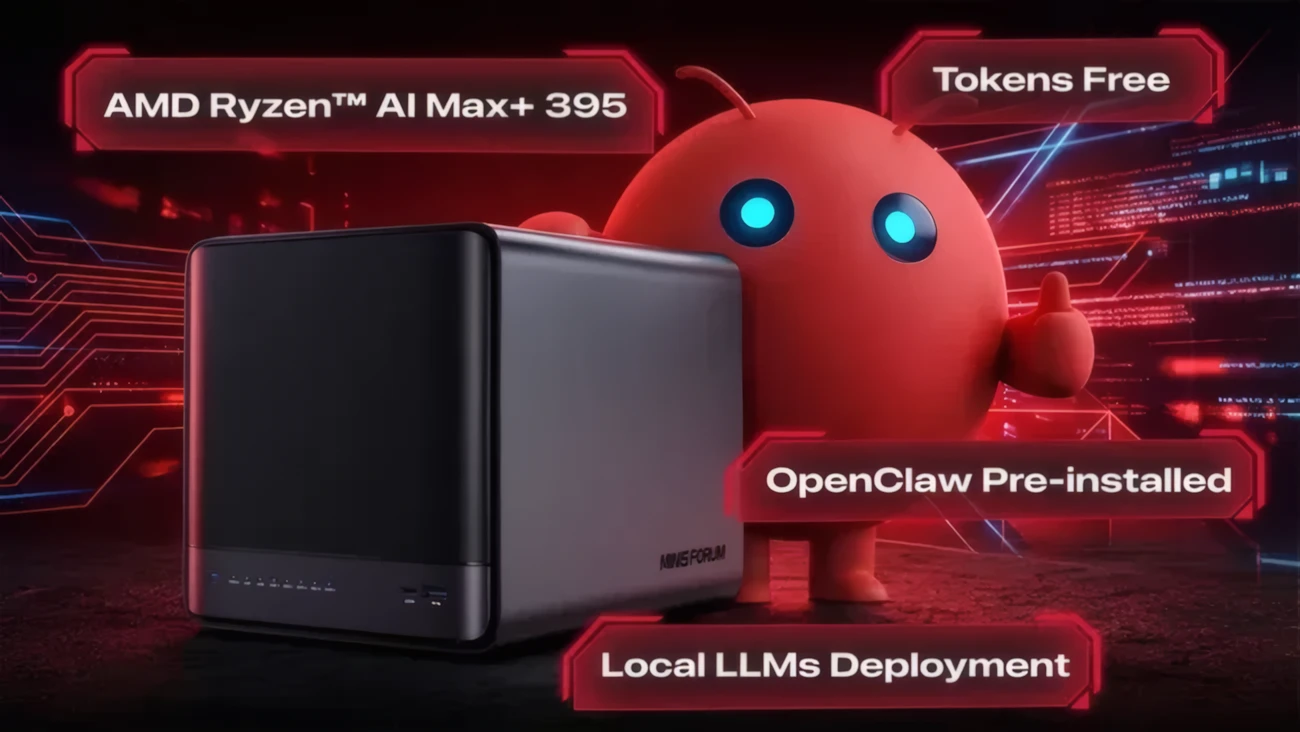
Instead of relying entirely on cloud-based services, users can deploy local large language models (LLMs), run AI inference tasks, or manage private datasets without sending sensitive data outside their network. The inclusion of OpenClaw and support for multiple operating systems reinforces this idea: this isn’t a locked-down appliance, but a flexible platform.
In practical terms, that means you could use it as:
- A private AI server
- A local data processing hub
- A centralized storage system with intelligence built in
And yes, it still does traditional NAS duties—but that almost feels secondary here.
Hardware That Feels Closer to a High-End PC Than a NAS
What immediately stands out is the hardware. Minisforum didn’t take the conservative route typically associated with NAS devices.
At the heart of the system is the AMD Ryzen AI Max+ 395, a 16-core, 32-thread processor with AI performance reaching up to 126 TOPS. That’s not just “good for a NAS”—that’s workstation-level capability packed into a compact enclosure.
The integrated Radeon 8060S graphics, featuring 40 compute units, further reinforces the idea that this machine is designed for more than file serving. It opens the door to GPU-accelerated workloads, light rendering, and even gaming scenarios.
Then there’s the memory: 64GB of LPDDR5X-8533 RAM. It’s fast, modern, and clearly chosen to support AI and multitasking workloads. The only caveat is that it’s not expandable, which suggests Minisforum expects this configuration to be sufficient for its intended use cases.
Still, for most scenarios—especially edge AI and local inference—64GB is already quite substantial.
Storage Flexibility That Actually Scales
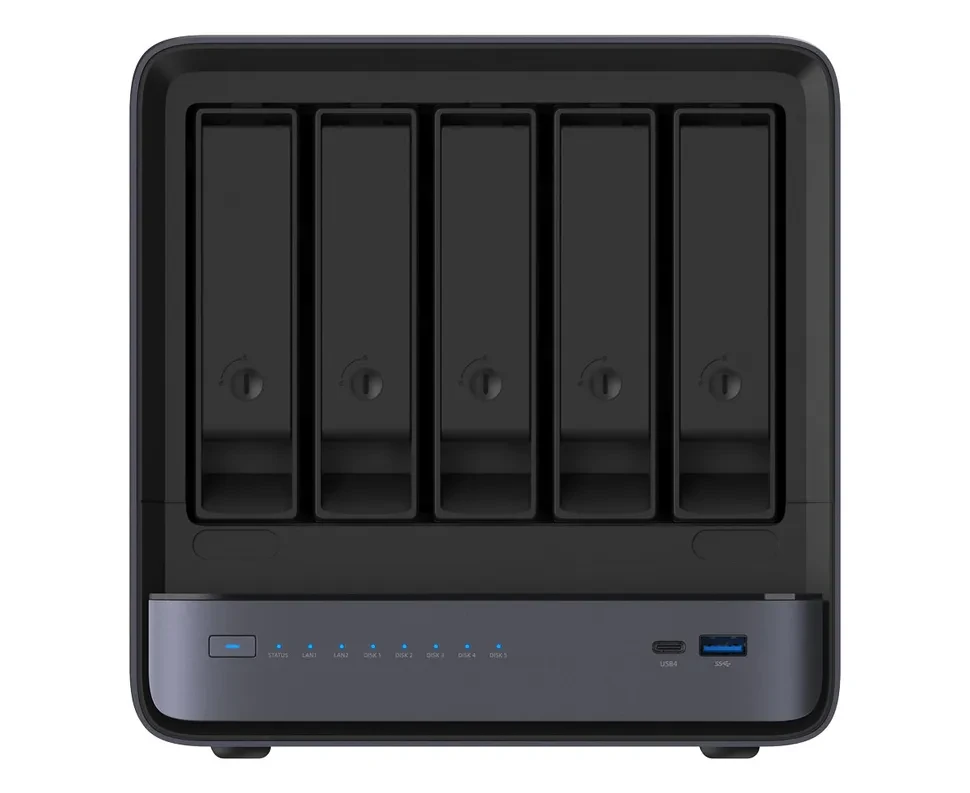
While performance is impressive, a NAS ultimately lives or dies by its storage capabilities—and this is where the N5 Max delivers real flexibility.
The system includes:
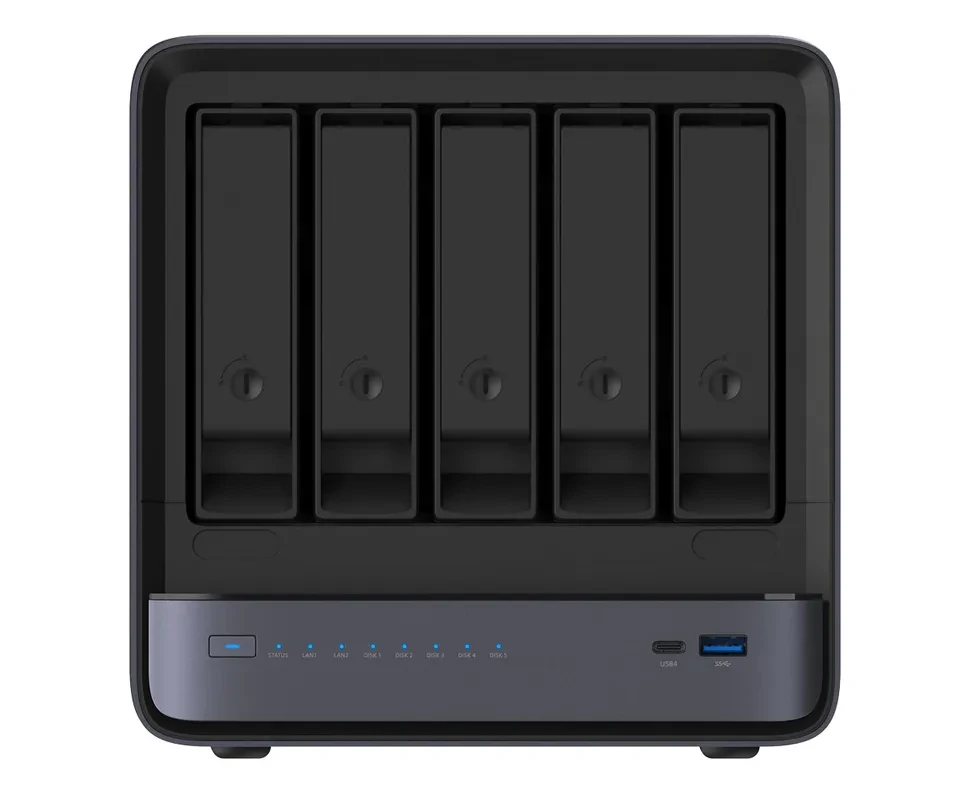
- 5 SATA slots for HDDs
- 5 M.2 NVMe slots
- A 128GB SSD dedicated to the operating system
This combination allows the device to scale up to 200TB of total storage, blending high-capacity drives with high-speed NVMe storage for caching or active datasets.
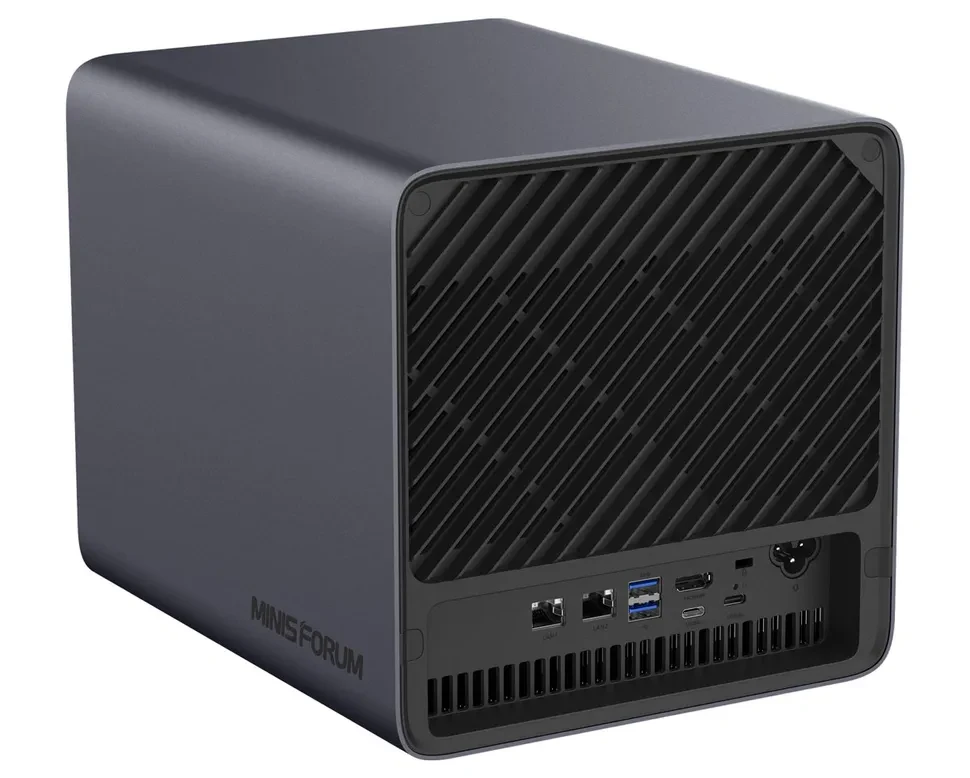
What’s interesting here is not just the raw capacity, but the hybrid approach. You’re not forced into choosing between speed and volume—you can design your storage architecture based on your workflow.
For example, you could:
- Use NVMe drives for AI model storage and fast data access
- Store archives and backups on large-capacity HDDs
- Separate workloads across different tiers
That level of control feels more like configuring a server than using a typical NAS.
Connectivity and Cooling: Built for Heavy Workloads
A system like this would be incomplete without serious connectivity—and Minisforum clearly understands that.
The N5 Max includes:
- Dual 10Gb Ethernet ports for high-speed networking
- Three USB4 ports, including two USB4 v2 ports reaching up to 80Gbps
- HDMI 2.1, which hints at desktop or media usage scenarios
This setup ensures that whether you’re transferring massive datasets or connecting external devices, the system won’t become a bottleneck.
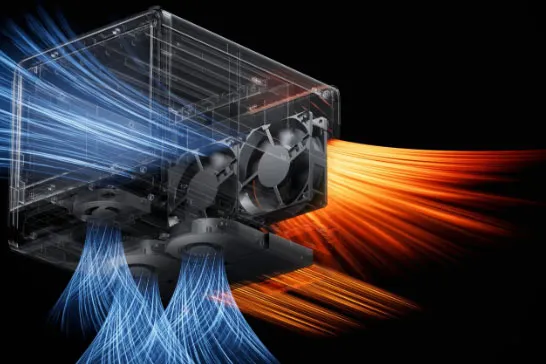
Cooling is another area where the design feels intentional rather than an afterthought. The device uses:
- Five heat pipes
- Two fans for the CPU
- Two fans for HDDs
- One dedicated fan for SSDs
This multi-zone cooling approach suggests the system is meant to sustain heavy workloads over long periods—something essential for AI processing and continuous server operation.
More Than a NAS: A Hybrid System for Work, AI, and Even Gaming
What makes the Minisforum AI NAS N5 Max genuinely interesting is how difficult it is to categorize.
Yes, it’s a NAS.
But it’s also:
- A compact workstation
- A local AI deployment platform
- A potential home server
- Even a capable desktop or gaming machine
The inclusion of support for MinisCloud OS, Windows 11 Pro, and Linux reinforces its versatility. You’re not locked into a single ecosystem—you can shape the device to fit your workflow.
And perhaps that’s the most important takeaway. This isn’t just about adding more power to a NAS—it’s about redefining what a NAS can be.